
Technology should take weight off people, not pile it on.
Too many businesses work with tools nobody ever explained to them. That costs time every day — and it leaves people unsure about their own work. And often a shared order is missing: where things are stored and who informs whom about what.
I'm convinced: nobody is «not technical enough». It just takes someone who explains it calmly.
The tool is there. The collaboration isn't yet.

Channels, shared files and co-authoring sit unused, because nobody showed how they work in day-to-day practice. Every round of emails costs time and creates one more version.
Without a shared structure, things grow wild. Handovers suffer most: anyone joining or taking over a project searches instead of working. A clear order makes knowledge findable for everyone.
Information travels along too many paths. Who informs whom about what is not agreed anywhere. A few clear ground rules save everyone time.
Uncertainty blocks people. With the right guidance, scepticism turns into routine – and you stop paying for licences that are only half used, and you pay less for IT support.
Together, clear and close to everyday work.
Patient and on equal terms, so that everyone keeps up.
Where documents are stored, how channels are named, who informs whom about what: your core team decides. Training comes only after that.
Exercises use your projects and documents, not sample data.
I show each step live in Microsoft Teams, and your team follows along right away. One idea per step, with repetition.
A written outcome after every workshop, materials to refer back to after every training.
For a collaboration to go well, it takes more than the content. That is why I have written down six principles – what you can expect from me and what it takes from you. Read my values →
Workshops and training for Microsoft Teams.
In the workshops, we work with your core team to define how collaboration should look. In the training sessions, your whole team learns to work that way.
Getting started
First we clarify where you stand.
Initial call. Free, 30 minutes, online. Then we decide together: a Teams check or a quote with a fixed price within a week.
Teams check. In basic package On site, I go through the current situation with a contact person, review your MS Teams environment and agree a short survey for the team with you. You receive a brief report with the key actions.
Workshops
For your core team, 3 to 6 people, with a written outcome.
Guidelines for Teams and file storage
We define which teams and channels exist, where documents are stored and who can see what. The outcome is your guidelines, written down.
Contents in detail
Communication concept
We clarify how and where your company communicates. The outcome is a one-page set of ground rules everyone knows.
Contents in detail
Teams telephony
We plan how your company will make and take calls through MS Teams. The outcome is a call plan your IT provider can implement directly.
Contents in detail
Training
For all staff, 4 to 10 people, on site or online. Online also in two parts of 2 hours each.
Teams fundamentals
After the half-day, your team works confidently in everyday use. Plus a checklist for the first week.
Contents in detail
Teams for advanced users
For everyone who already uses MS Teams and wants to get more out of it.
Contents in detail
Copilot. Copilot sees everything a person has access to. That is why we sort out permissions in W1 and show in S2 where Copilot helps day to day.
Follow-up
After the training, I remain available to your team.
Follow-up support. In basic package 4 hours in the basic package, more by the hour. As online office hours, for questions via MS Teams or for a follow-up session after four to six weeks. There we repeat the survey from the Teams check. That way you can see what has improved.
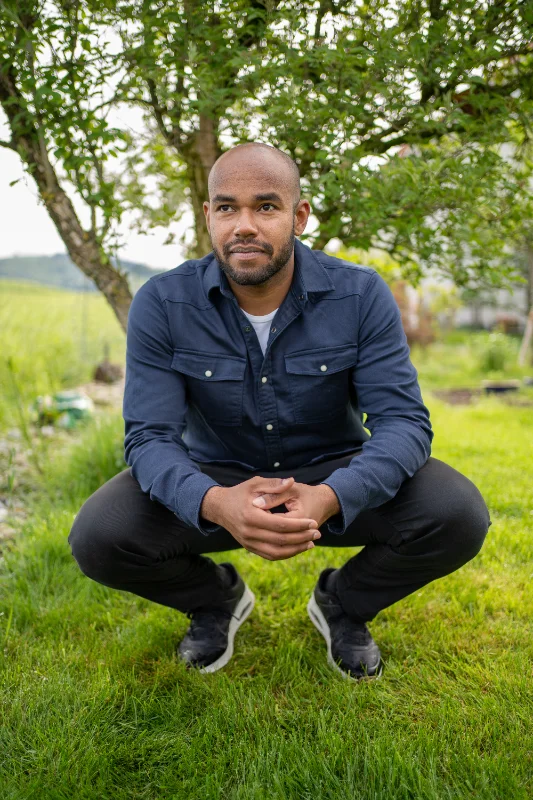
I explain technology so that people can follow.
I'm Timo – an IT professional who enjoys teaching. I trained in systems engineering and went on to a Swiss higher diploma in IT. For more than ten years I have worked in IT, mostly in the Bern area: from support and system administration through to leading a team for the modern workplace.
Microsoft 365 runs through those years. As a project lead I have moved companies onto it, worked out guidelines for storage and communication with them in workshops, replaced phone systems with Teams telephony and brought data from ageing file servers into SharePoint Online. So I know more than the surface — I also know what has to work underneath so it works day to day.
Teaching came along and stayed. I taught IT at the gibb, the vocational and technical school in Bern. I have guided apprentices through their education as a vocational trainer for years, and today I accompany people with very different levels of experience as a practical trainer. On top of that comes formal teacher training at the Swiss Federal University for Vocational Education. There I deepened my classroom experience: structuring content so that it sticks.
People and technology, clearly divided.
If you already have an IT provider, I work with them – that is the normal case. If you are looking for one, I recommend simpliq gmbh: I know how they work and I stand behind that recommendation.

simpliq gmbh
An IT services company from the Bern area focused on Microsoft environments: cloud, devices and transformation. Where a training runs up against the technology, simpliq handles the implementation – from setup to ongoing operations. I enjoy working with them because we share the same attitude: explain rather than impress.
simpliq.chLet's talk about your team.
Tell me briefly where things are stuck. I'll come back within a week and suggest a date for a free 30-minute initial call via Microsoft Teams. If you don't use MS Teams, leave your phone number in the form.
Your enquiry is already written there – you only need to click “Send”. If nothing opened, copy the details and send them to info@collabatwork.ch.